
The App Library is one page in Helix that lists every live app you can open, across every workspace in your organization, with one click to open each. Use it to get back to an app without hunting for a bookmark or a shared link.
Open the App Library
Click Explore apps in the top-right of Helix. Every member of the organization sees it, whether they build apps or just use them.

Which apps you see
An app appears in your library when both of these are true:
- It’s live. It has been deployed successfully at least once. An app that has never deployed successfully does not appear.
- You can open it. It is shared with you directly, with a workspace you belong to, or with the whole organization. These match the project’s access control setting.
A newly shared app can take up to 10 seconds to appear. Refresh the page to see it.
Browse your apps
The library has two tabs:
| Tab | Contents |
|---|---|
| All apps | Every live app you can open, most recently created first |
| Favorites | Only the apps you have starred |
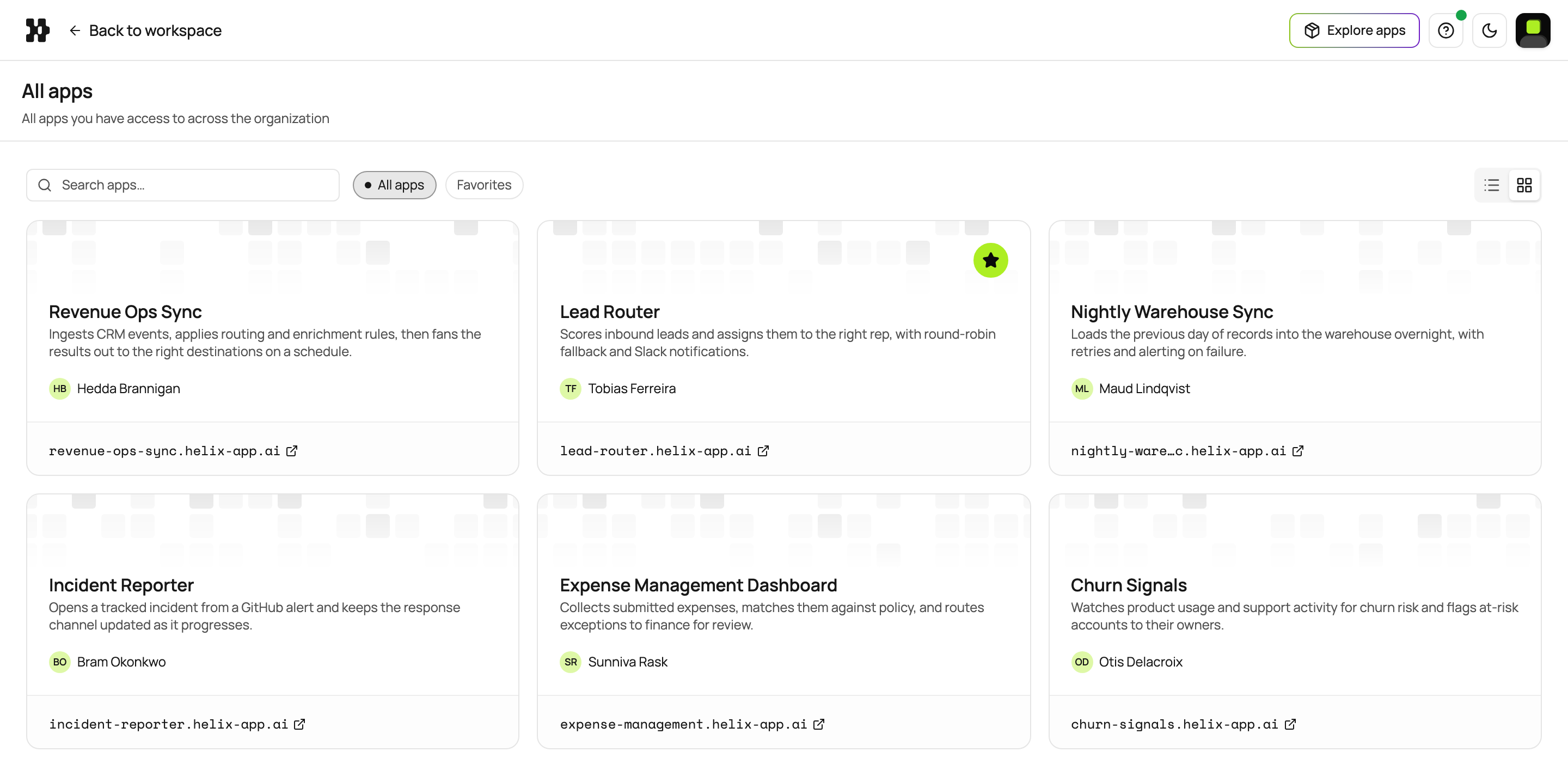
Switch between grid and list view. The grid shows cards; the list shows the same apps in a denser table, which suits a long list. Helix remembers the view you picked.
Each app shows:
| Field | Notes |
|---|---|
| Name | The project name |
| Description | What the app does |
| Created by | Who made it |
| URL | The app’s address |
Click an app’s card, row, or URL to open the live app in a new tab. The library opens the app, not its project in the dashboard.
Search
Search by app name or description. Search works in both All apps and Favorites.
Favorites
Star an app to add it to Favorites, and star it again to remove it. Your favorites are personal: starring an app changes nothing for anyone else. They follow you across browsers and devices.
If an app is missing
Check these, in order:
- It hasn’t deployed yet. Only apps with at least one successful deployment appear. If you have access to the project, check its Deployments tab.
- It isn’t shared with you. Ask the person who built it to share it with you, your workspace, or the organization.
- It was shared seconds ago. Refresh the page.